Trade Journal & Hedge Planner: a workbook that shows where your results come from
An Excel and Google Sheets workbook with a combo checker and hedge planner built in. Log each position once and see results by leg count, contract type, fees and hedges.
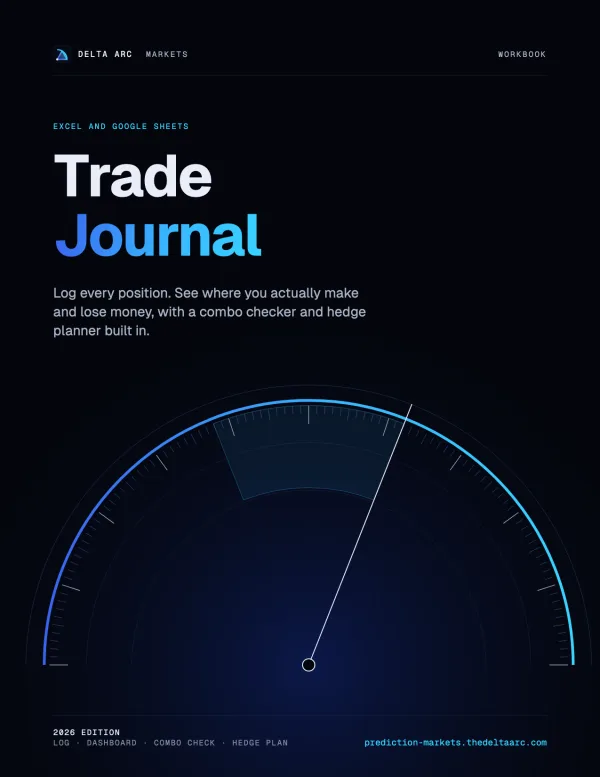
Excel and Google Sheets workbook
Buy for $29 Instant download after checkout. Delivered by Gumroad.Same price in every language. English edition selected; switch language on Gumroad if you prefer.
Page in: Español · Français · Italiano · Deutsch · 简体中文 · 日本語 · Русский · العربية · Português (Brasil) · Nederlands · Türkçe · 한국어
Educational only. We explain the math. We don't sell picks, predict outcomes or tell anyone what to buy.
What's inside
Excel and Google Sheets workbook. The tabs:
- Start Here: how to set up the workbook in Excel or Google Sheets
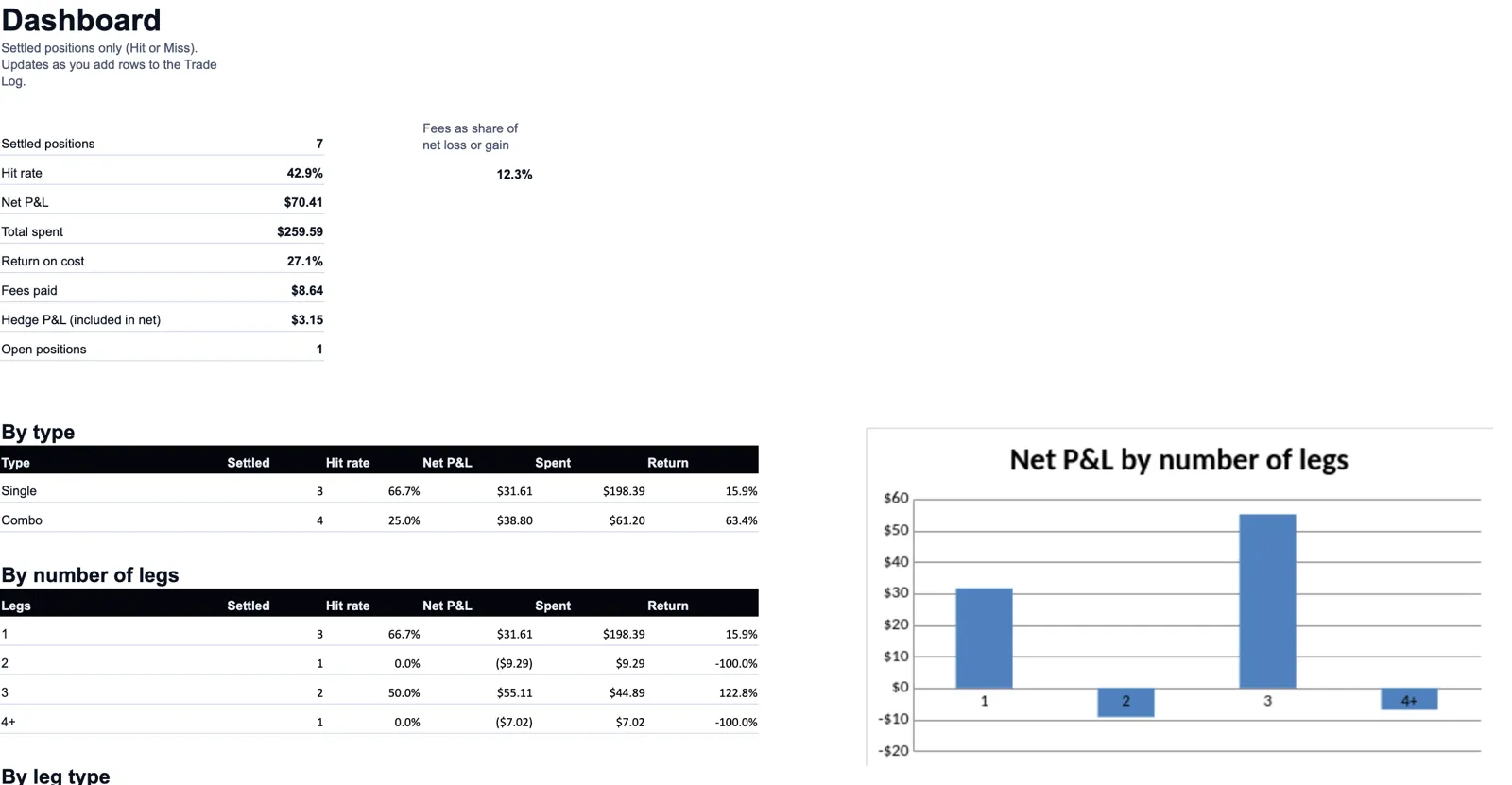
- Dashboard: net results by number of legs, contract type, fees and hedges, with charts
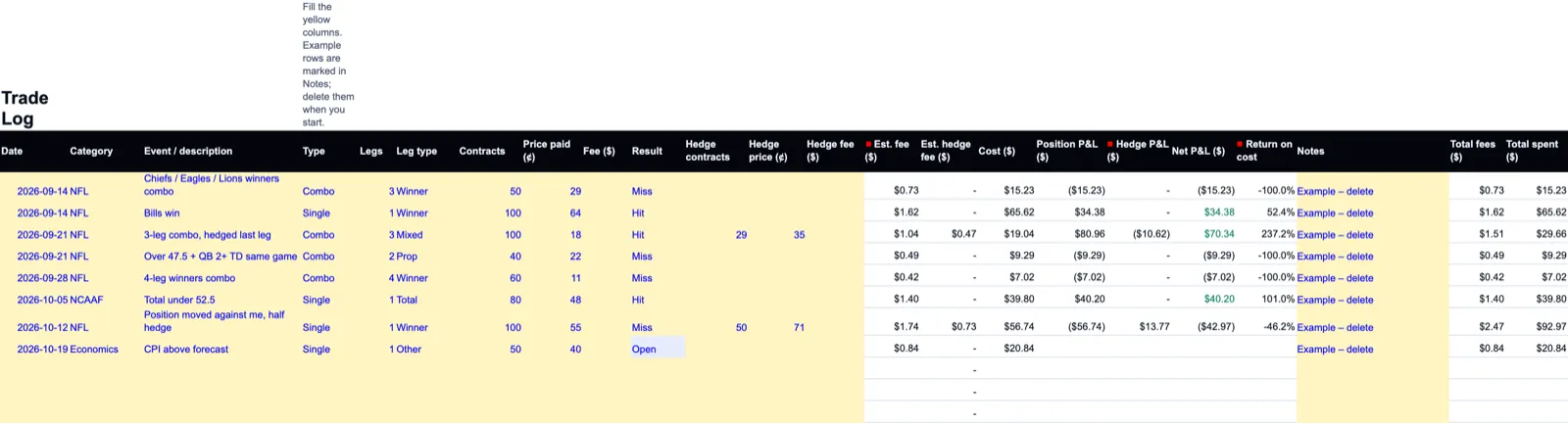
- Trade Log: one row per position, with price, fee, result and notes
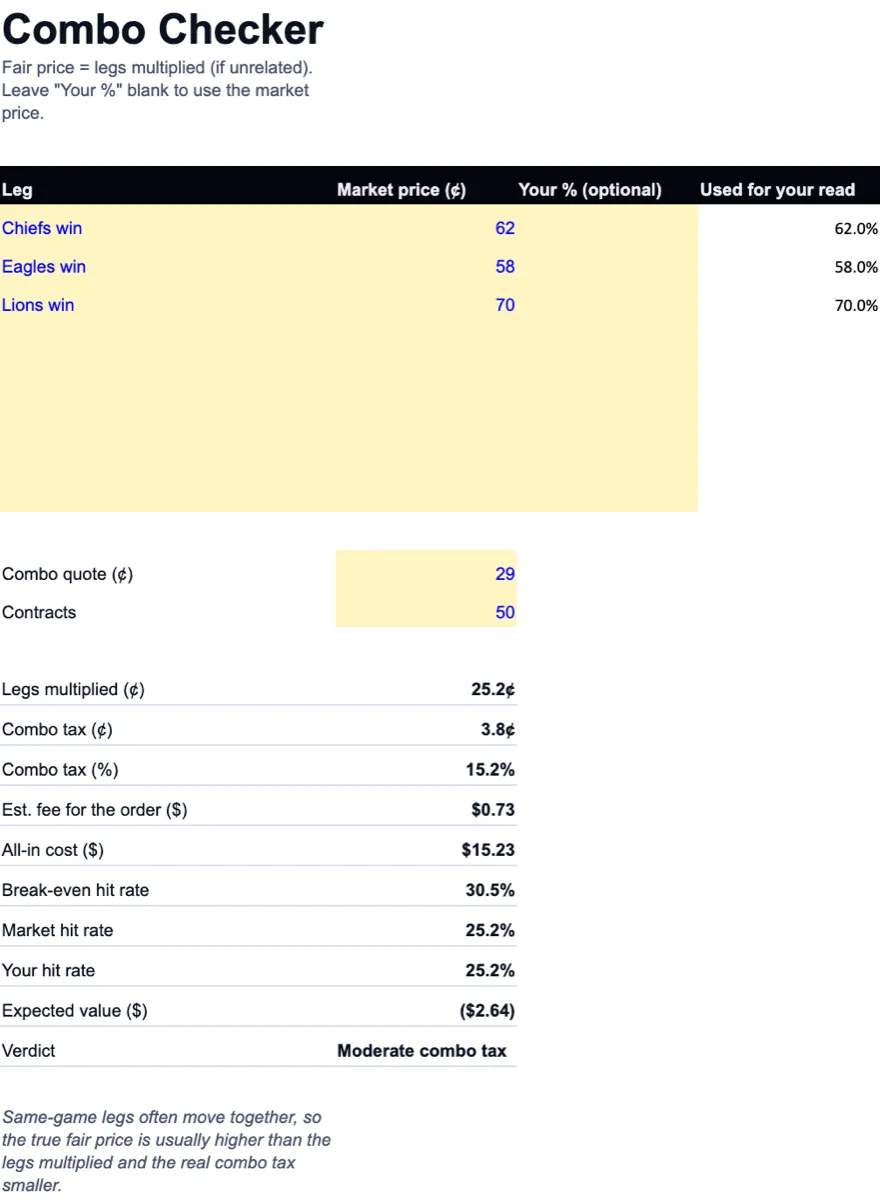
- Combo Checker: enter the legs and a quote to see the fair price and the markup
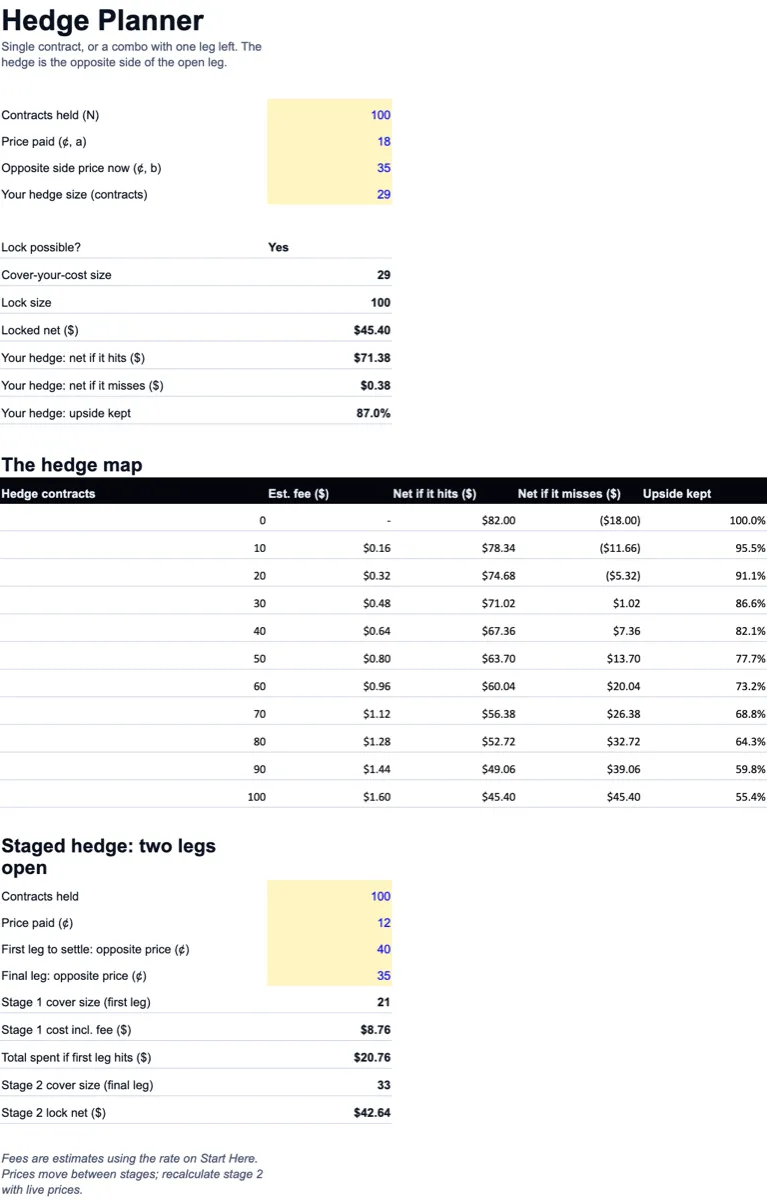
- Hedge Planner: cover and lock sizes, and the result either way
A sample
The Dashboard groups every logged position by its number of legs. If your two-leg combos are flat over the season but your four-leg combos are down, the chart makes that obvious, with the fees you paid shown alongside. The Combo Checker and Hedge Planner use the same formulas as the free calculators on this site.
Screenshots of the workbook with its built-in example rows (made up for the demonstration, not real results; delete them when you start):
What you'll be able to do
- Log each position once and see net results by leg count, contract type, fees and hedges
- Check any combo quote against its fair price with the built-in Combo Checker
- Plan a hedge in the Hedge Planner before the last leg plays
- See what fees have cost you over a season, next to every result
What the guide teaches, not a promise of results. Markets decide outcomes.
Who it's for
- Anyone who wants to know whether combos or single contracts work better for them
- People who want fees and hedges recorded next to every result
- Anyone who would rather fill in a sheet than build one
It is not a tip sheet. It teaches how the prices work so you can check them yourself.
Trade Journal & Hedge Planner, $29
Instant download after checkout. Delivered by Gumroad.
Questions
Does it work in Google Sheets?
Yes. It is built in Excel and tested in Google Sheets. The Start Here tab explains how to open it in either.
Is any data sent anywhere?
No. It is a file on your computer or in your own Google Drive. Nothing connects to an exchange or to us.
Is this a trading tool?
It is a record-keeping and learning workbook. It does not place orders, give signals or recommend anything.
More guides and free tools
Go deeper
The numbers you just ran, explained start to finish
The playbook, the journal and all four 2027 event guides: $55.96 bought separately at the minimum prices.